


 Keshav Kaushik
·
·
Keshav Kaushik
·
·
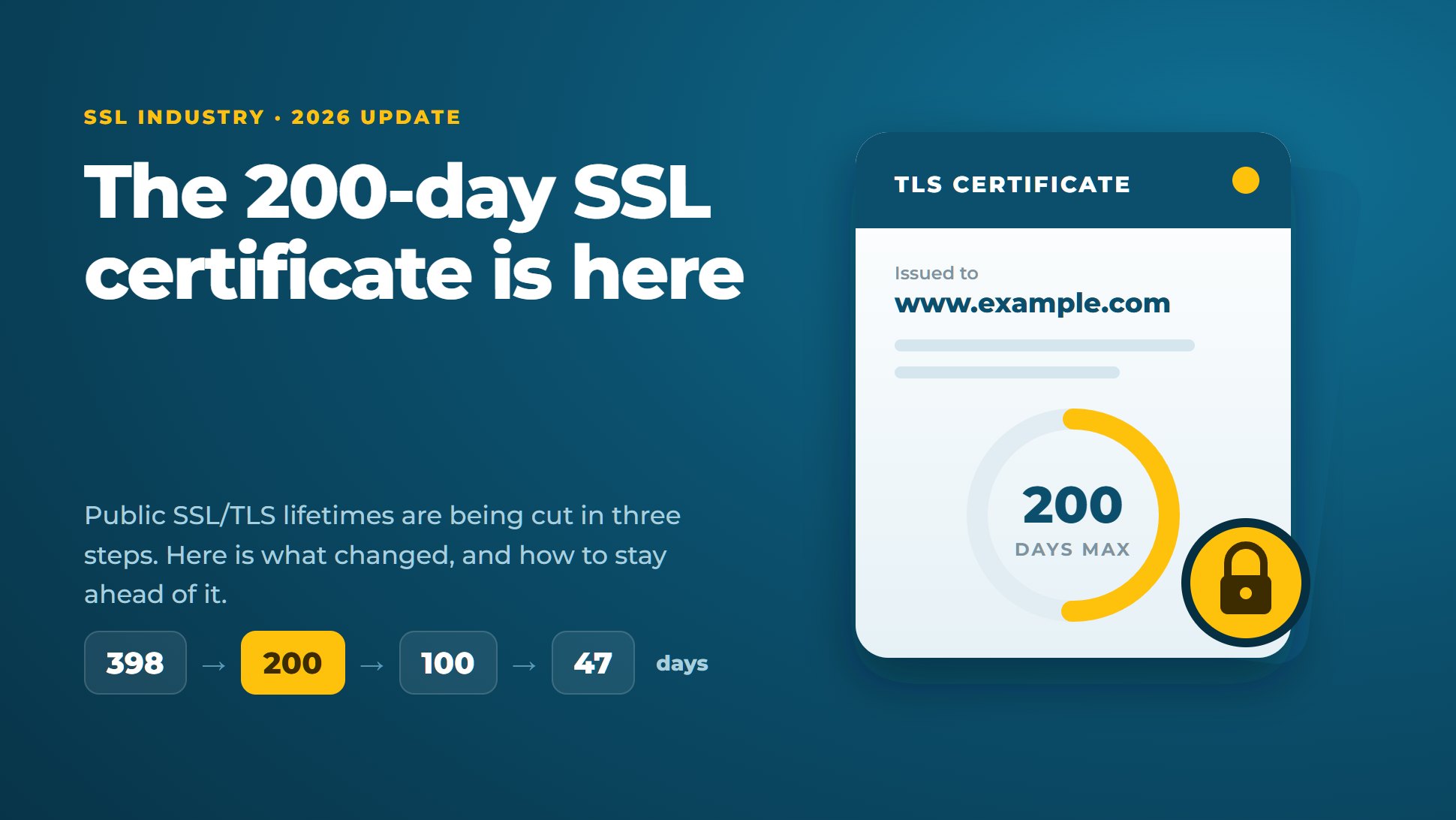
If you renewed an SSL certificate recently and noticed it now expires in about six and a half months instead of a year, nothing is wrong. Since 15 March 2026, no public Certificate Authority is allowed to issue an SSL/TLS certificate that is valid for more than 200 days.
And this is only the first step. The limit drops to 100 days in March 2027 and to just 47 days in March 2029. Here is what changed, why the browsers pushed for it, and a simple plan to make sure an expired certificate never takes your website offline.
What exactly was decided?
The rules for publicly trusted certificates are set by the CA/Browser Forum, the group where Certificate Authorities and browser makers agree on the Baseline Requirements. In April 2025 it adopted Ballot SC-081v3. It passed with no votes against: 25 Certificate Authorities voted yes and 5 abstained, and all four browser makers (Apple, Google, Microsoft and Mozilla) voted yes.
The ballot cuts two numbers in steps. The first is how long a certificate can live. The second is how long a CA may reuse an earlier proof that you control the domain (domain control validation, or DCV) before it must check again.
| Certificates issued from | Maximum validity | Domain validation reuse |
|---|---|---|
| Before 15 March 2026 | 398 days | 398 days |
| 15 March 2026 (now) | 200 days | 200 days |
| 15 March 2027 | 100 days | 100 days |
| 15 March 2029 | 47 days | 10 days |
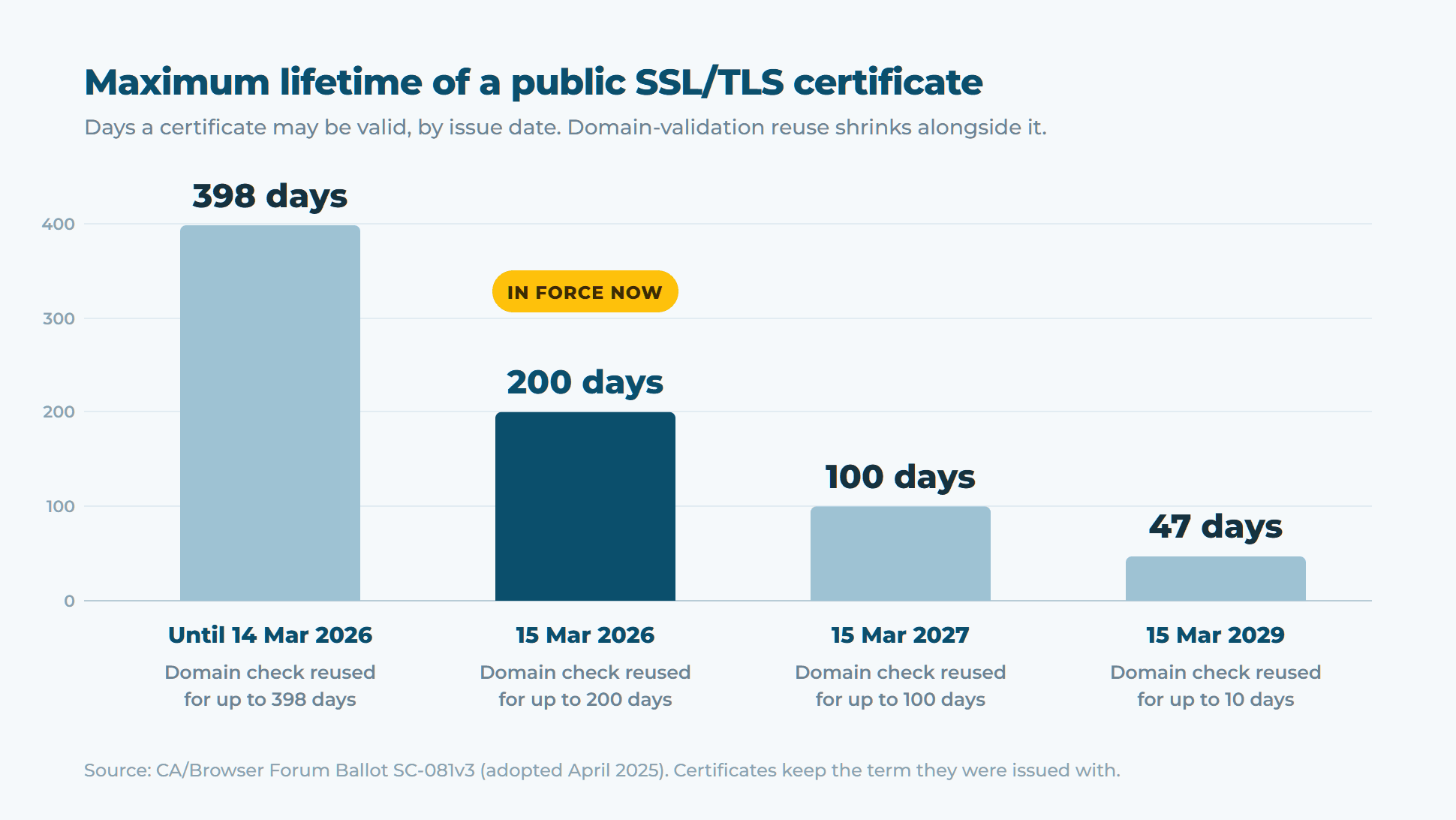
Two details are worth knowing. Certificates you already hold are not cut short; they run until their original expiry date. And for OV and EV certificates, verified company details can now be reused for up to 398 days (down from 825), so expect to re-confirm your organisation's details more often.
Why would anyone want shorter certificates?
It can look like extra work for nothing, but the reasoning is sound.
- Revocation doesn't work well. If a private key is stolen, the certificate should be revoked. In practice many clients never check revocation reliably. Let's Encrypt turned off its OCSP service in August 2025 and now publishes revocation only through CRLs. A stolen key on a 398-day certificate stays useful for more than a year. On a 47-day certificate, it is useful for a few weeks at most.
- Proof of ownership stays current. Domains are sold, expire and change hands. With a 10-day reuse window, the person holding a valid certificate is much more likely to be the person who controls the domain today.
- The web can change faster. Post-quantum cryptography is already arriving. As of April 2026, Cloudflare reports that more than two-thirds of human HTTPS traffic to its network uses hybrid post-quantum key exchange (
X25519MLKEM768). When post-quantum certificates follow, a short lifetime means the whole web can switch over in weeks rather than years.
What it means for you: the renewal maths
The real change is how often you renew. A one-year certificate used to mean one renewal a year. Now it means two, then four, then about eight.
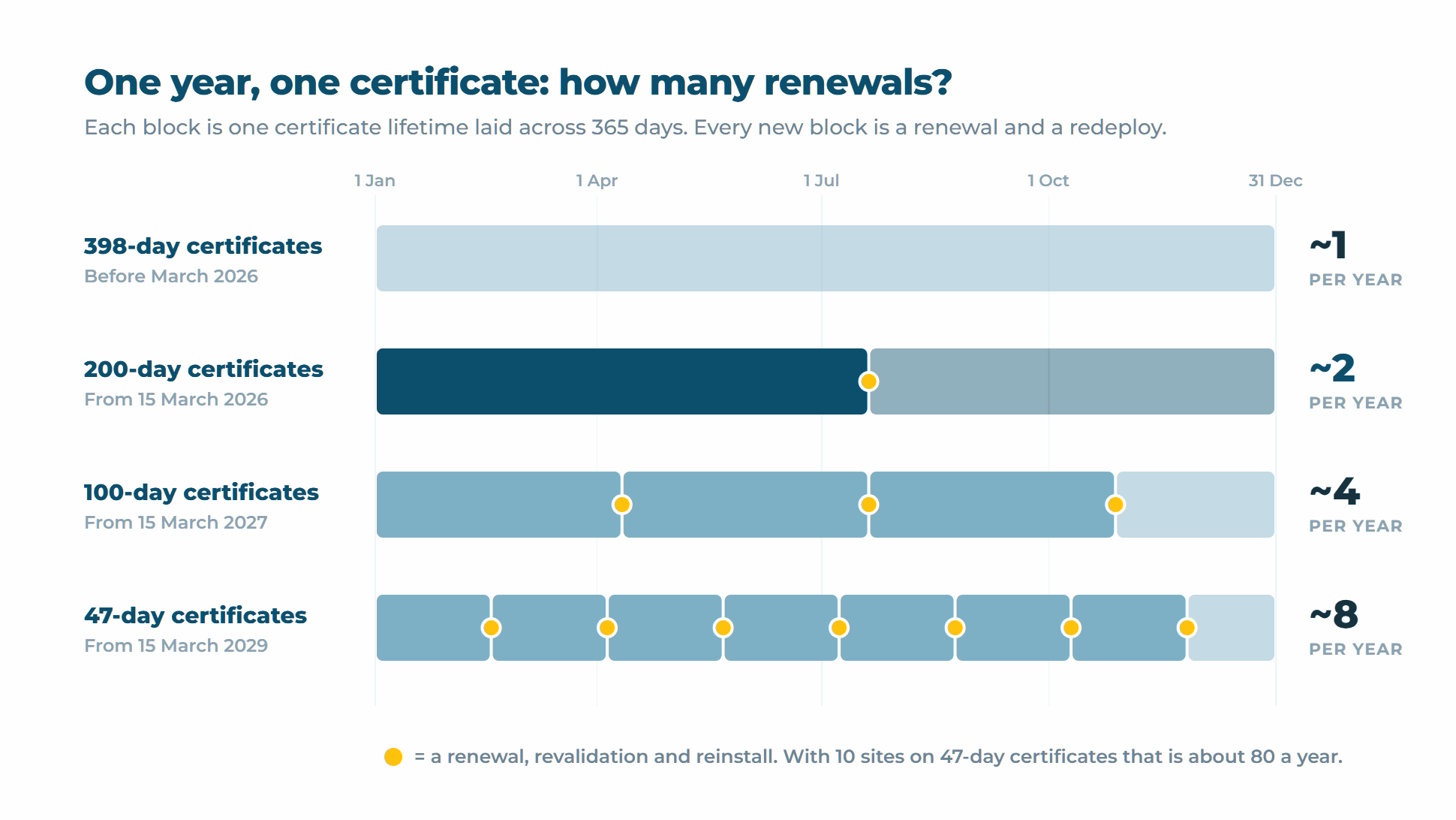
That doesn't mean you pay eight times as much. You can still buy a one- or two-year subscription; the CA simply issues it as a series of shorter certificates, and you reissue within your term. For example, Comodo PositiveSSL comes with free reissues for the whole term, and its two-year plan works out cheaper per year. What does grow is the number of times someone, or something, has to validate, install and reload.
The rule of thumb for 2026: every certificate that a person renews by hand will eventually be renewed late. Plan now for automation, or for fewer certificates, ideally both.
Two more 2026 changes you may have missed
Website certificates are for websites only
Chrome's root programme now requires public TLS hierarchies to be dedicated to server authentication. Intermediate CAs disclosed from 15 June 2026 may only carry the serverAuth purpose, and every new website certificate must follow from 15 March 2027. Most CAs have already stopped adding clientAuth to SSL certificates. If you used an SSL certificate to log a server or user into a VPN or mutual-TLS API, move that job to a private CA or a proper client certificate such as a personal authentication certificate.
Free certificates are getting shorter too
Let's Encrypt made 6-day certificates generally available in January 2026. Its default 90-day certificates will drop to 64 days in February 2027 and to 45 days in February 2028.
Your five-step plan
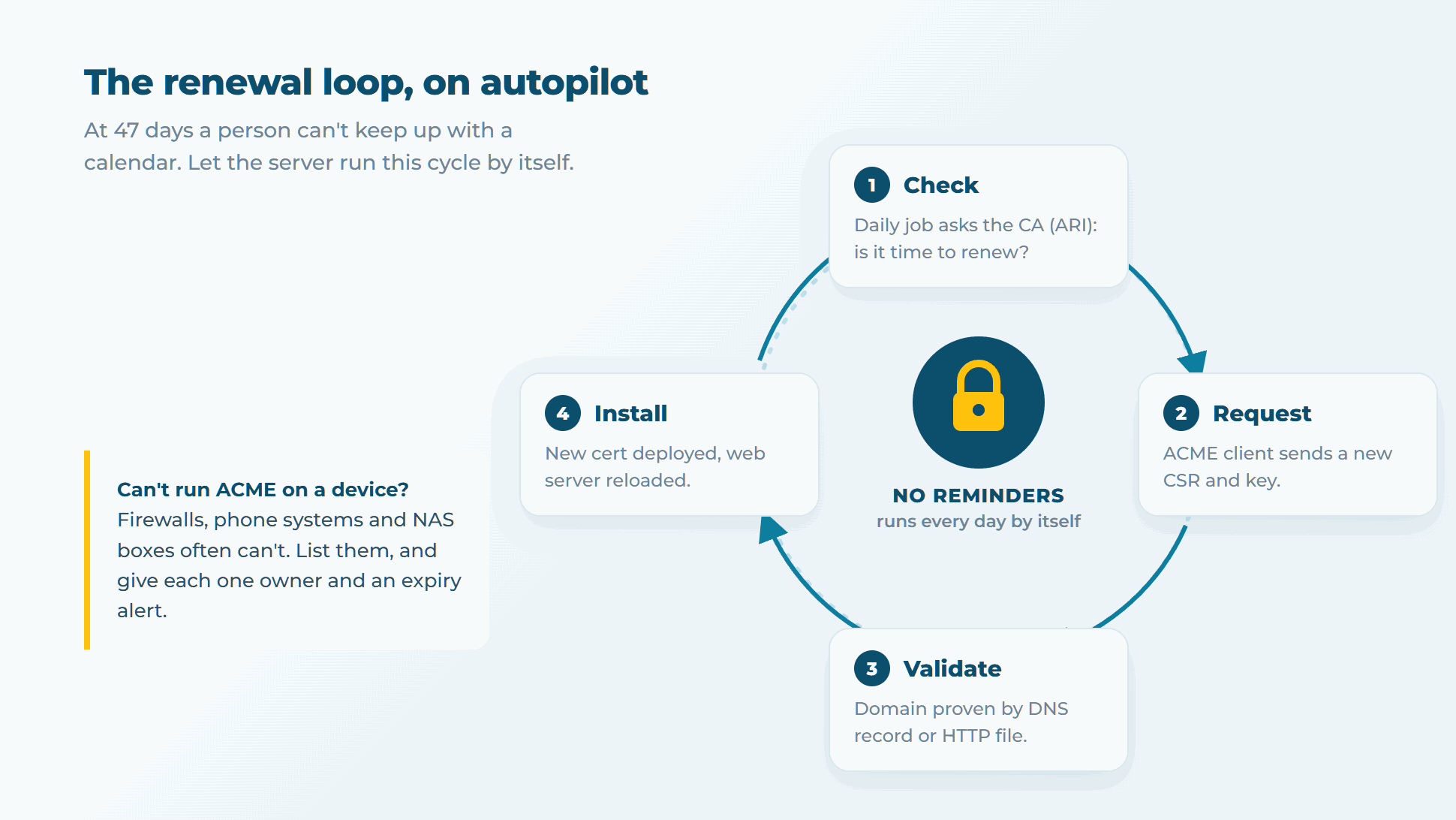
- Find every certificate. Websites are the easy part. Firewalls, VPN gateways, phone systems, mail servers and NAS boxes are the ones that expire quietly. Our device and server certificates guide covers the common ones, and the free SSL checker shows any host's expiry date and chain.
- Automate wherever you can. Use an ACME client (certbot, acme.sh or win-acme on Windows) and turn on ACME Renewal Information (ARI, RFC 9773). With ARI the CA tells your client when to renew, even early if a certificate has to be replaced.
- Make validation boring. With a 10-day reuse window, nearly every renewal will need a fresh domain check. Give your ACME client API access to your DNS, or make sure the HTTP challenge path always reaches the right server. If your server sits on a changing home or office IP, an out-of-date DNS record will quietly break HTTP validation. A tool such as GoDaddy DNS Updater for Windows keeps your A records pointed at the current address.
- Use fewer certificates. Ten subdomains on ten certificates means ten renewals. One PositiveSSL Wildcard covers every subdomain on one renewal date, and a PositiveSSL Multi-Domain certificate does the same for different domain names. Remember that a wildcard can't be validated with an HTTP file, so use DNS or email.
- Watch what you can't automate. For devices that need a manual install, set alerts at 30, 14 and 7 days and give each one a named owner. Don't rely on the CA's reminder email reaching the right inbox. If you would rather hand it over, our SSL installation service can do the install for you.
The bottom line
The 200-day limit is a warm-up. Teams that automate and consolidate during 2026 will hardly notice the 100-day and 47-day stages. Teams that don't will be fixing "Your connection is not private" errors several times a year. Start with the inventory this week: it is the step that tells you how much of the rest you need.
Need a certificate that fits the new rules? Browse domain validated SSL for fast issuance, or wildcard certificates to cut down your renewals.


Discussion